
Today’s update allows for integrating the Gateway Edge Agent with a local OpenTelemetry collector. Also, we are rolling out some user interface changes to more visually tie our platform into the SUSE Edge portfolio.
OpenTelemetry GEA Integration
OpenTelemetry (OTel to its friends) is a widely adopted open-source framework for standardizing workload observability and telemetry collection in containerized applications. Many of Losant's customers already use OTel in their distributed edge deployments, and today's platform update makes it easier to write standard and custom metrics to an OTel collector running alongside the Gateway Edge Agent through a series of new features.
Automatic Stats Collection
First, the agent can now automatically report its performance metrics (CPU and memory usage, uptime, heap stats, and more) to an OTel collector running on the same network. Using the agent configuration file, developers can provide the hostname, authentication info, reporting interval, and resource attributes that the GEA will use to send its internal telemetry to the collector on a regular basis.
Custom Metrics Through Workflows
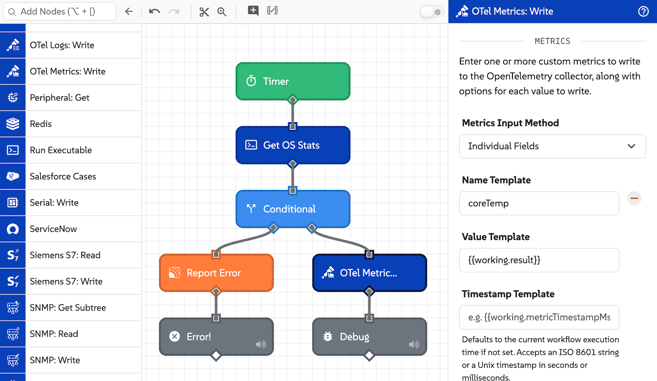
Additionally, we've added an OTel Metrics: Write Node and an OTel Logs: Write Node, allowing edge workflows to report custom numerical metrics and log items respectively to the collector. Configuration for the collector can be provided inline or pulled from the agent configuration file, and items written to the collector can come from any value on the triggering workflow payload.
We've seen several use cases for an OpenTelemetry GEA integration from our developers, and we're excited to learn how they will use these new first-class features to improve their edge workload monitoring.
SUSE UI Updates
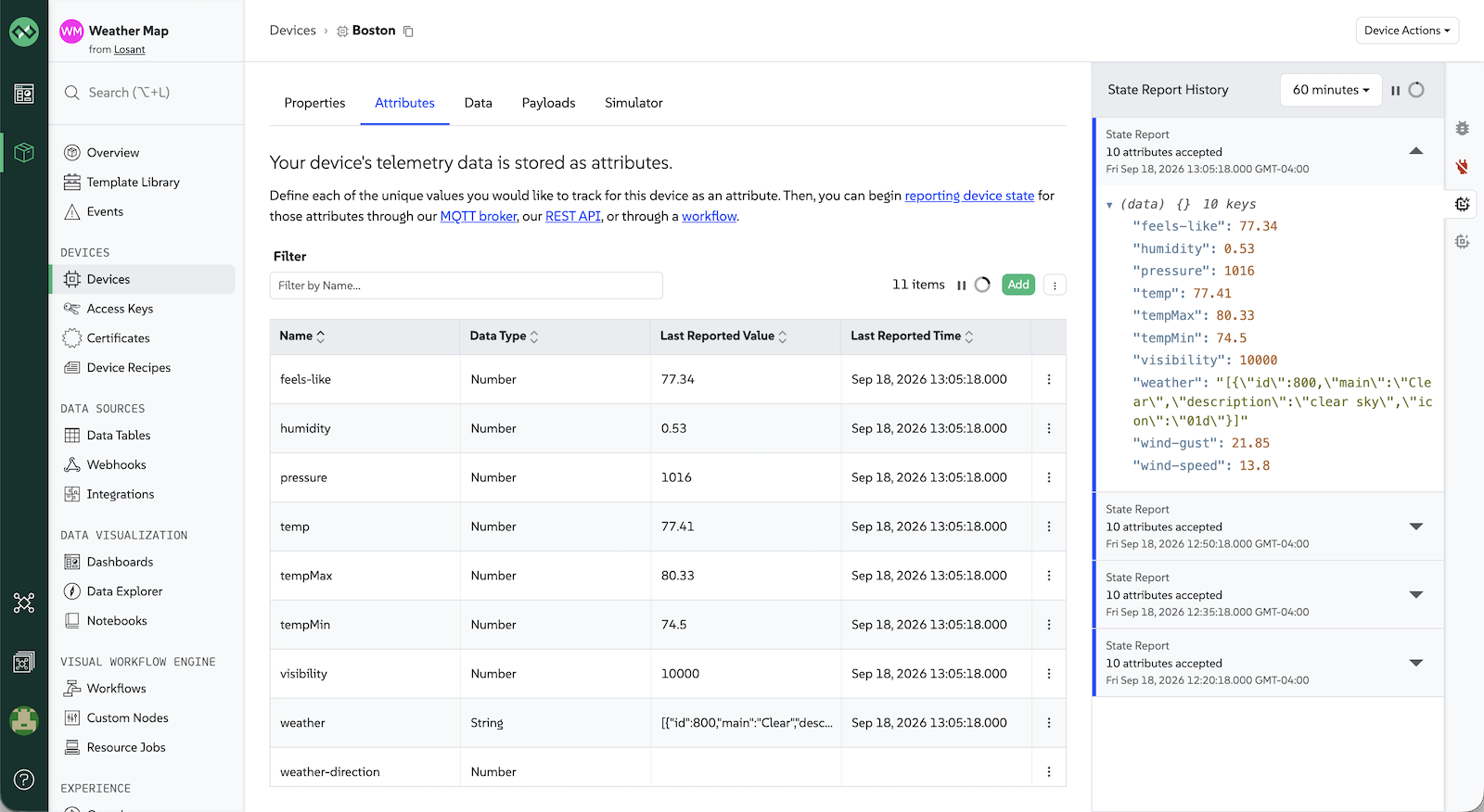
As part of our ongoing integration into the SUSE suite of products, today's release includes some updates to the platform's user interface. You'll notice some changes to the app color scheme (our green is a little richer); the headers and body copy (our fonts are a little wider); and the logos (our infinity symbol is a little SUSE-ier).
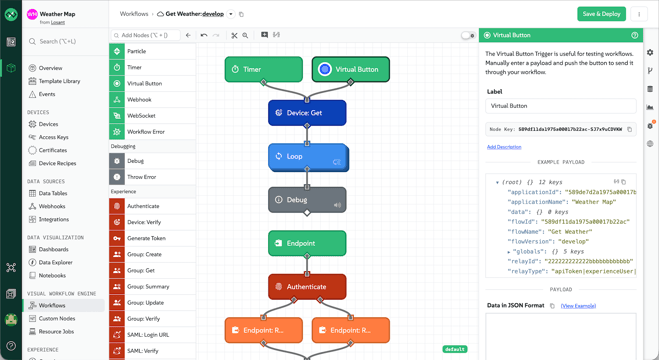
This includes similar updates to our product documentation and forums, with additional changes coming to our Losant web properties. The hope is that our brand will remain familiar both to our current user base and to SUSE's wide ecosystem and community.
Dark Mode is (Finally) Here
We've also rolled out an app-wide dark mode as part of these changes, which can be accessed from the user account menu in the bottom left corner. Currently, the mode must be manually selected, which allows our users to test it out for themselves without having to switch their preference in their operating system.
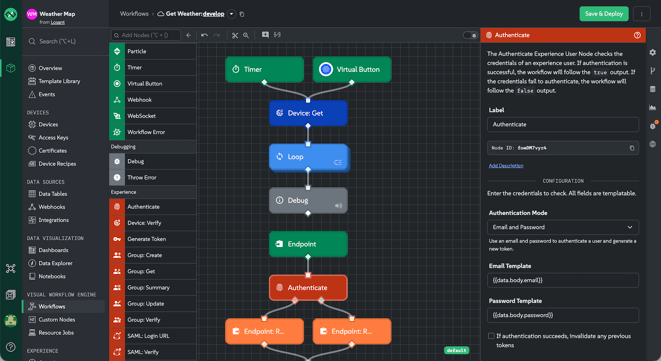
Importantly, developers must still choose a specific theme (light or dark) when embedding dashboards, embedding individual blocks, or building experience dashboard pages.
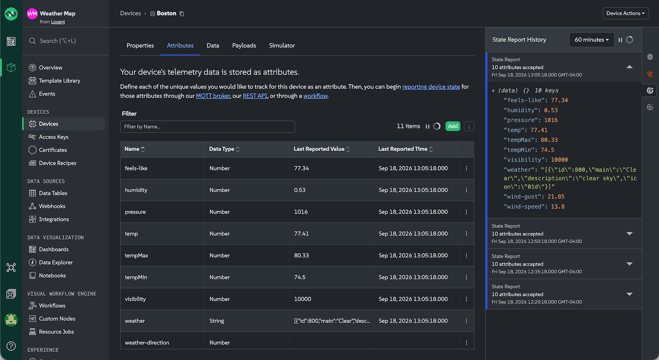
Dark mode for dashboards has been available for several years now, and rolling it out platform-wide has been a backburner project for almost as long. We're excited to finally provide this UI choice to our developer user base and would love any feedback you may have.
What's Not Changing
More importantly, we should point out one thing that's not changing as part of these updates: the Losant domains for our API, broker, webhooks, experience slugs, product interface, hosted MCP server, or OAuth flows. Doing so would introduce breaking changes and for that reason we are adamant that these *.losant.com domains will not be affected as part of our integration into SUSE.
So, aside from getting used to the slightly different UI, no action is needed from our users.
Other Updates
As always, this release comes with other features and improvements, including:
- Users can now register private OAuth clients in their Losant accounts, which allows for authorizing internal tools and custom MCP clients to access your application data.
- Losant's MCP server now supports deleting resources through its new
losant_deletetool. Being a destructive action, your AI agents will ask for confirmation before invoking the tool to remove any resources from your Losant applications.
What’s Next?
With every new release, we listen to your feedback. By combining your suggestions with our roadmap, we can continue to improve the platform while maintaining its ease of use. Let us know what you think in the Losant Forums.